
Google stopped building software for PowerPC Macs a long time ago. That doesn’t mean Google disappeared from them.
Fire up a PowerPC Mac running Tiger today and one fact becomes obvious very quickly:
The modern internet has moved on.
Open an old browser and websites complain. Security standards have changed. Video may refuse to play. Online accounts that once worked perfectly may load halfway and then stop. Some services simply put up a sign telling you to get a newer browser.
And yet something interesting happens if you keep looking.
Google is still there.
Not necessarily in the way you might expect—and certainly not as official PowerPC Mac support. But during Apple Retro’s continuing experiments with Mac OS X Tiger, Leopard and Sorbet Leopard, we kept encountering pieces of Google’s software history and today’s Google services in surprisingly useful places.
Some work.
Some almost work.
Some worked recently and don’t anymore.
And some lead directly into technologies that didn’t even exist when these Macs were new.
That seemed worth investigating.
First, We Tried the Obvious: Google Chrome
If Google is going to help an old Mac reach the modern internet, surely Chrome would be the obvious place to start.
We tried.
And tried.
Apple Retro tested a collection of Google Chrome releases ranging roughly from version 4 through version 41, along with two Chromium packages of approximately 550 MB and 90 MB. Some of the software had been presented to us as PowerPC-compatible.
Our PowerPC Macs disagreed.

All displayed the familiar prohibited symbol directly over the application icon. One Chrome 21 installation looked more promising because the symbol wasn’t there—but double-clicking immediately ended with a message that the application was not compatible with the computer’s architecture.
We repeated the experiment under Tiger, Leopard and Sorbet Leopard.

Strikeout.
There may be more to investigate concerning exactly which builds we obtained and what hardware they were originally intended to support. For this round of reporting, however, the result is simple:
We did not get Google Chrome running on our PowerPC Macs.
Fortunately, Chrome isn’t the end of this story.
It’s barely the beginning.
Firefox Remembers a Different Internet
Firefox 3.6.24 runs under our Tiger installation, and seeing it today is like opening a little time capsule.
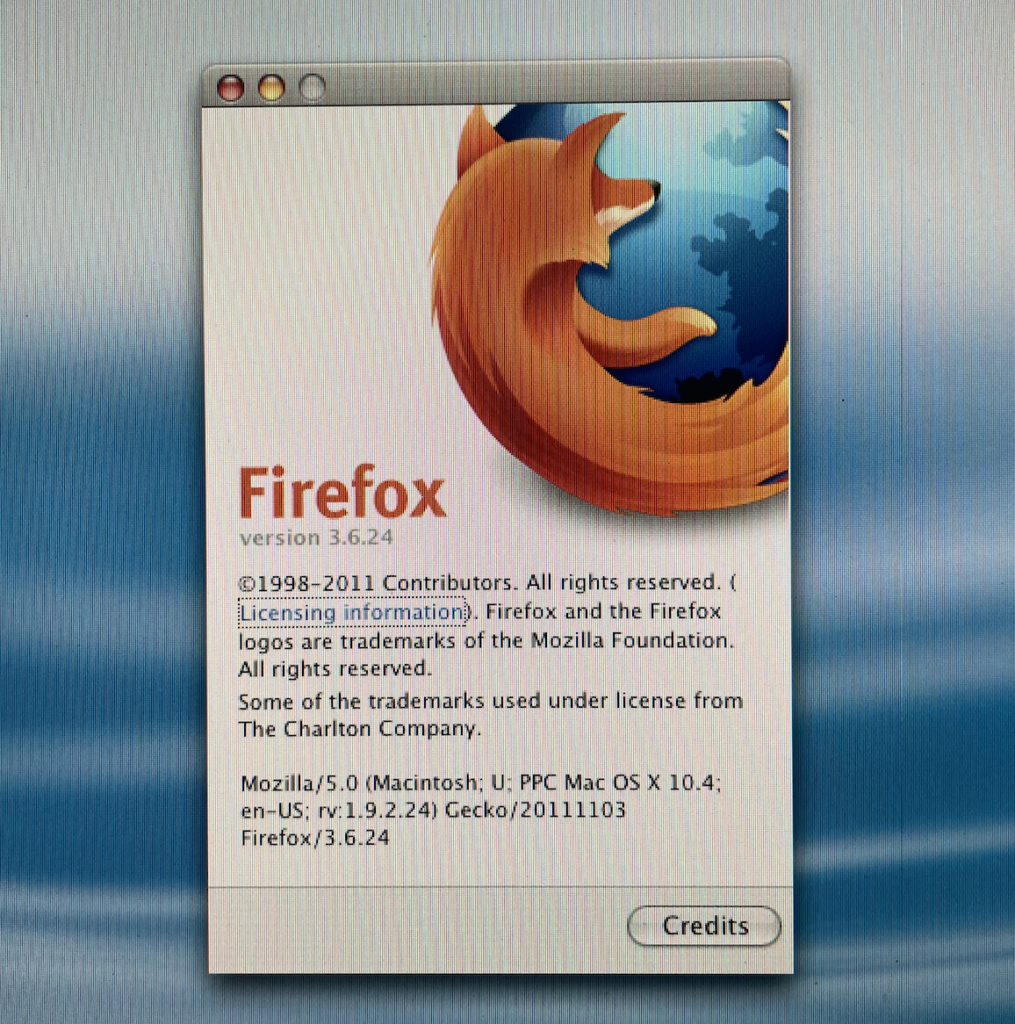
The browser launches. The interface works. You can type an address.
Then the modern web begins reminding you what year it is.
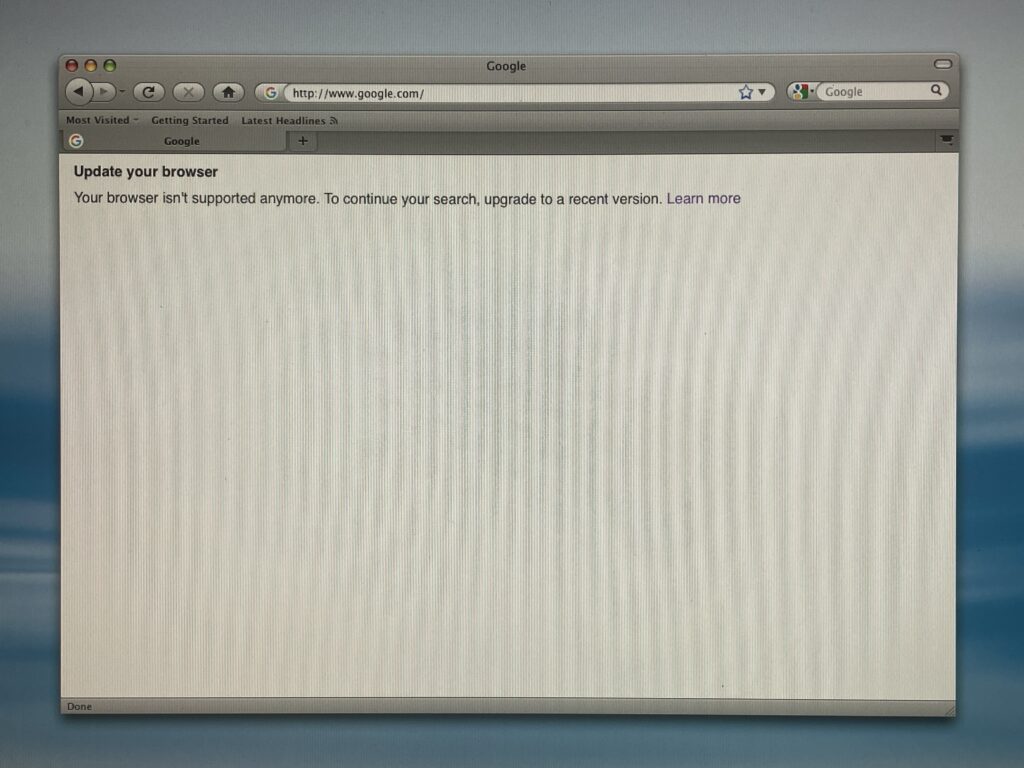
Google itself can return an “Update your browser” message explaining that the browser is no longer supported.
It’s a tiny service, but an interesting one: the ancient browser can still reach Google well enough for Google to recognize what it is and tell us that we’ve brought the wrong vehicle onto the freeway.
Thanks, Google.
We know. 😂
More importantly, the experiment demonstrates something that would repeat throughout our testing:
“The browser runs” and “the web works” are two completely different measurements on a vintage Mac.
That distinction matters.
Then Things Get More Interesting
AquaWeb gives us another route.
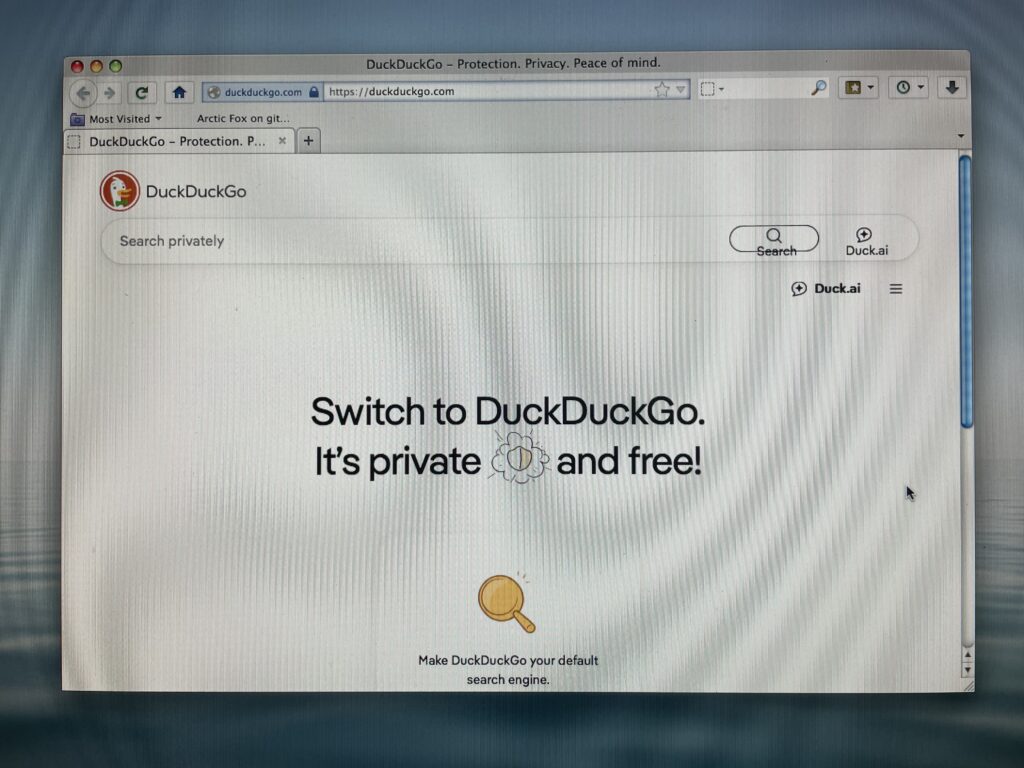
AquaWeb provides a lightweight route to DuckDuckGo and can hand some browsing work off elsewhere.
Arctic Fox gives us another.
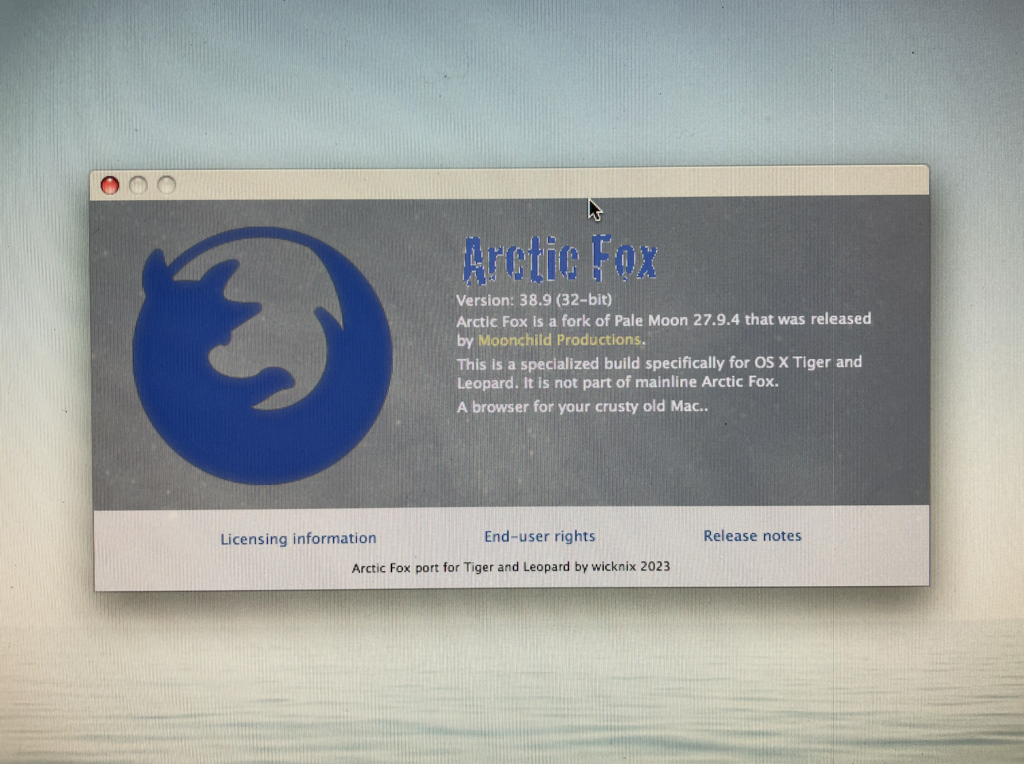
Arctic Fox 38.9 identifies itself as a specialized browser build for OS X Tiger and Leopard, and in our testing it can still display a contemporary Google Search page.
InterWebPPC gives us considerably more.
But the browser that has consistently impressed us most during these experiments is InterWebPPC.
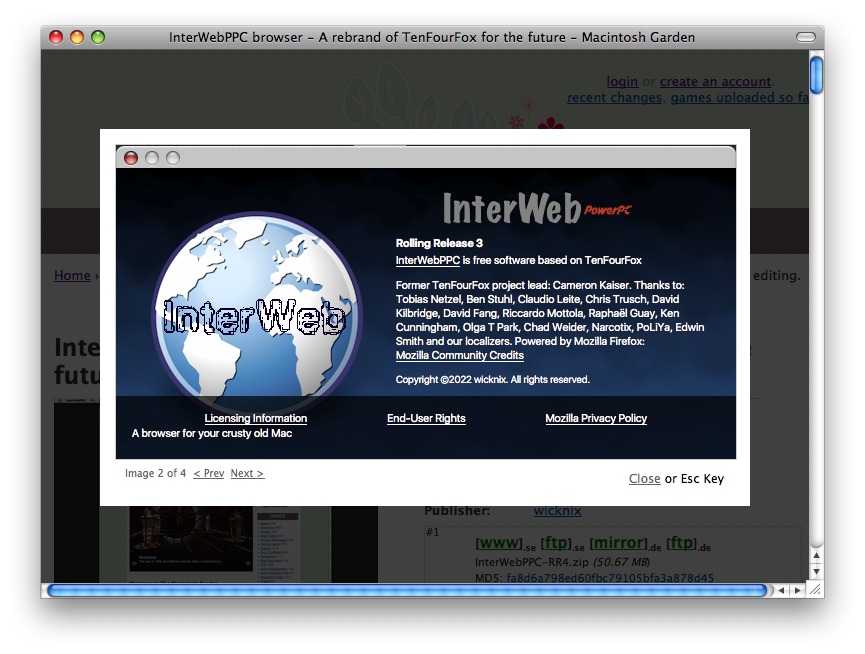
InterWebPPC describes itself as a browser based on TenFourFox, with Cameron Kaiser—the former TenFourFox project leader—credited prominently in its About screen along with a long list of contributors.
And this thing feels remarkably complete.
Not “complete for a twenty-year-old Mac.”
Complete.
InterWebPPC Feels Like a Real Browser
This was one of the pleasant surprises of the entire experiment.
Open InterWebPPC’s preferences and you aren’t looking at some tiny utility with three switches holding the modern web together with duct tape.
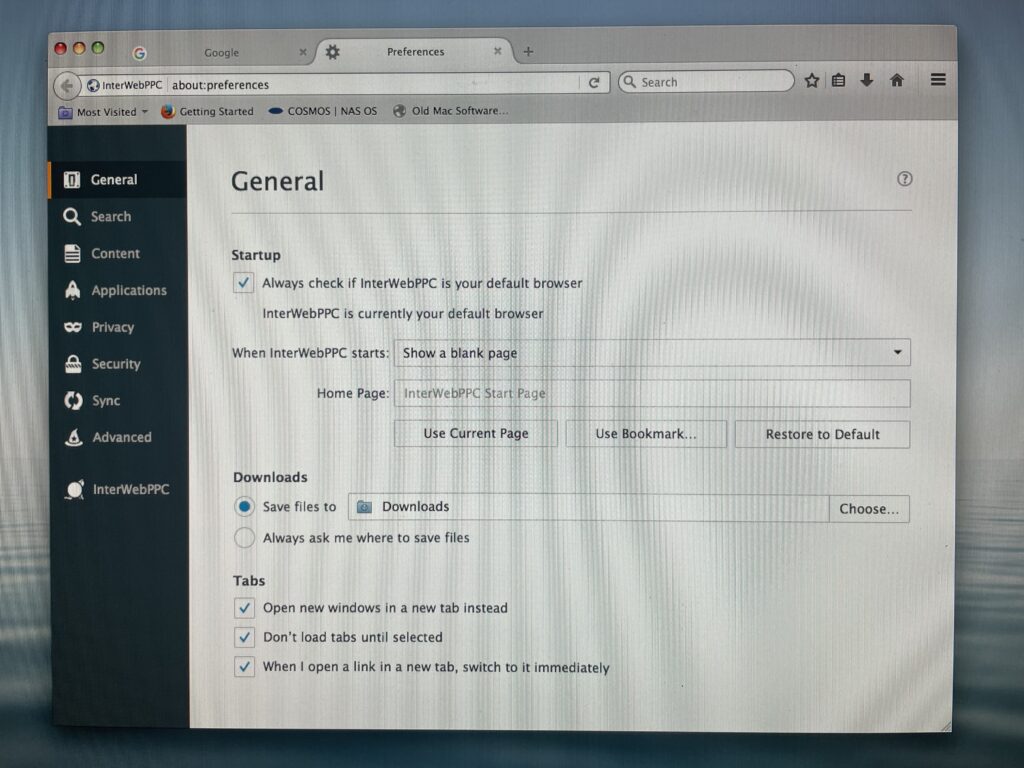
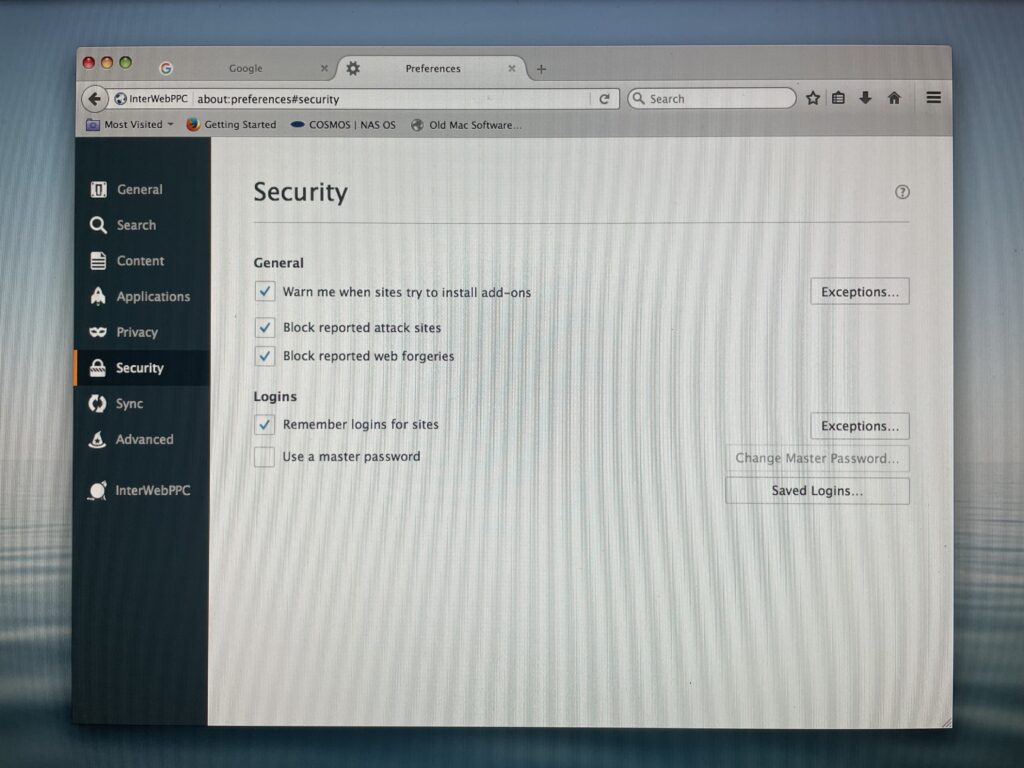
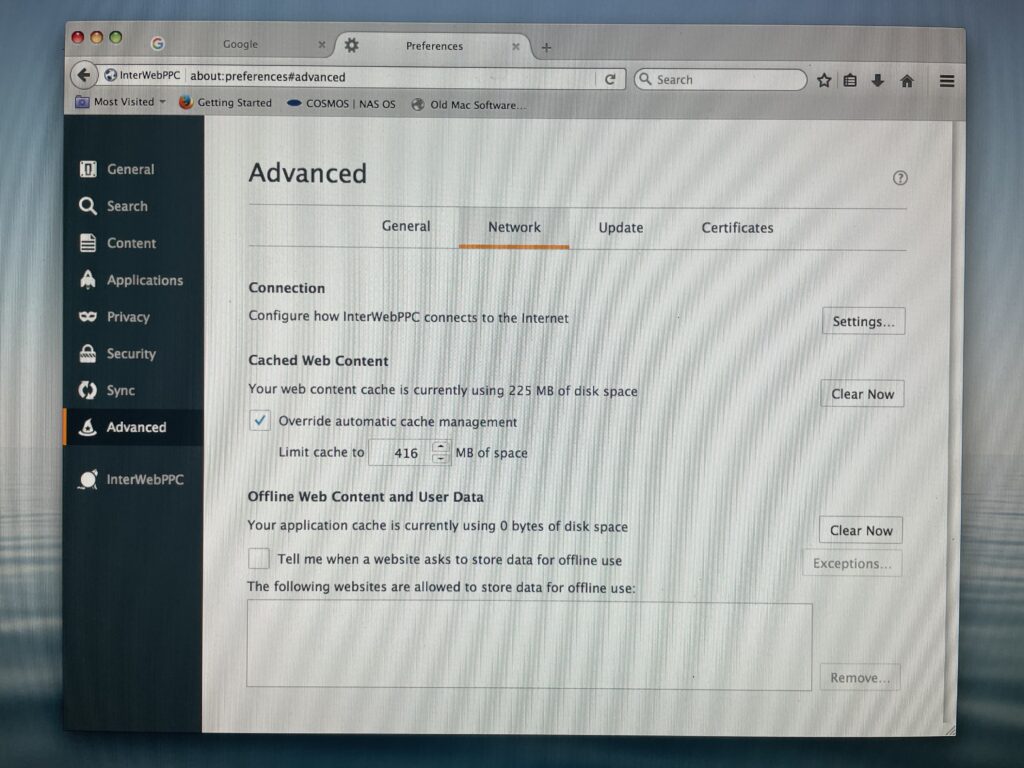
There are substantial controls for General settings, Search, Content, Applications, Privacy, Security, Sync and Advanced functions.
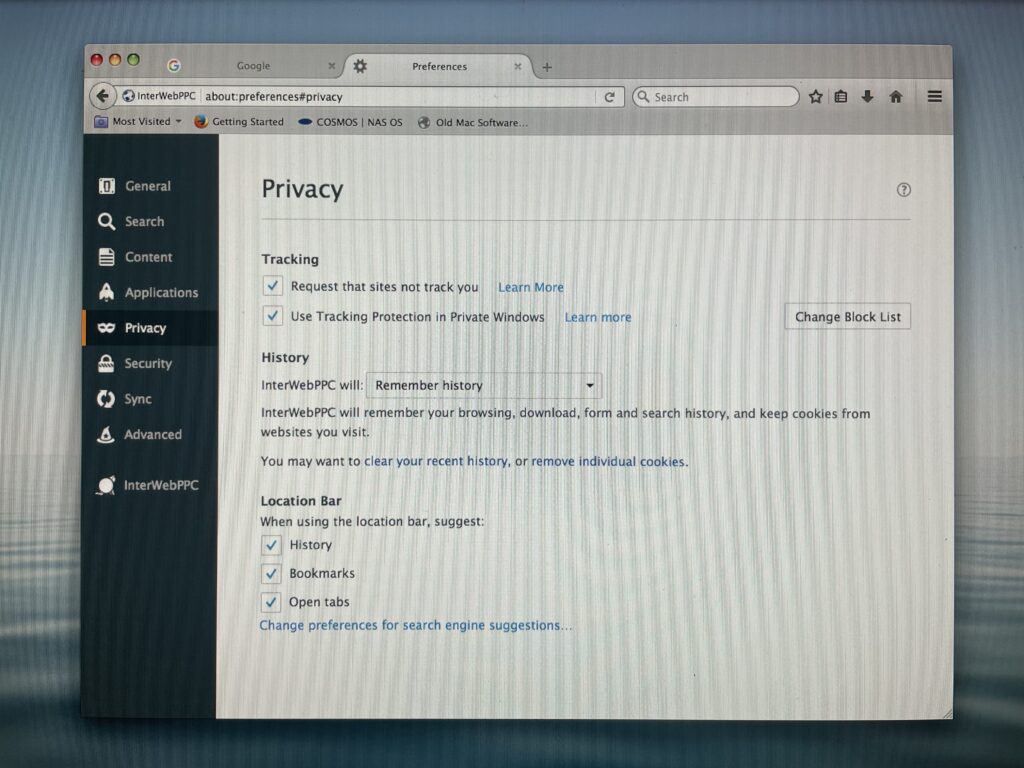
Our installation provides controls for tracking protection, private-window behavior, history, cookies, saved logins, attack-site and web-forgery warnings, connection settings, cache management, certificates and more.
The browser remembers history. It handles tabs. Menus behave normally. Modern-looking sites can present dropdowns and navigation that actually respond.
At times, you can forget what machine you’re using.
And that’s where the fun starts.
So We Gave It Real Websites
Rather than testing a collection of specially selected vintage-friendly pages, Apple Retro started throwing normal websites at the PowerPC Mac.
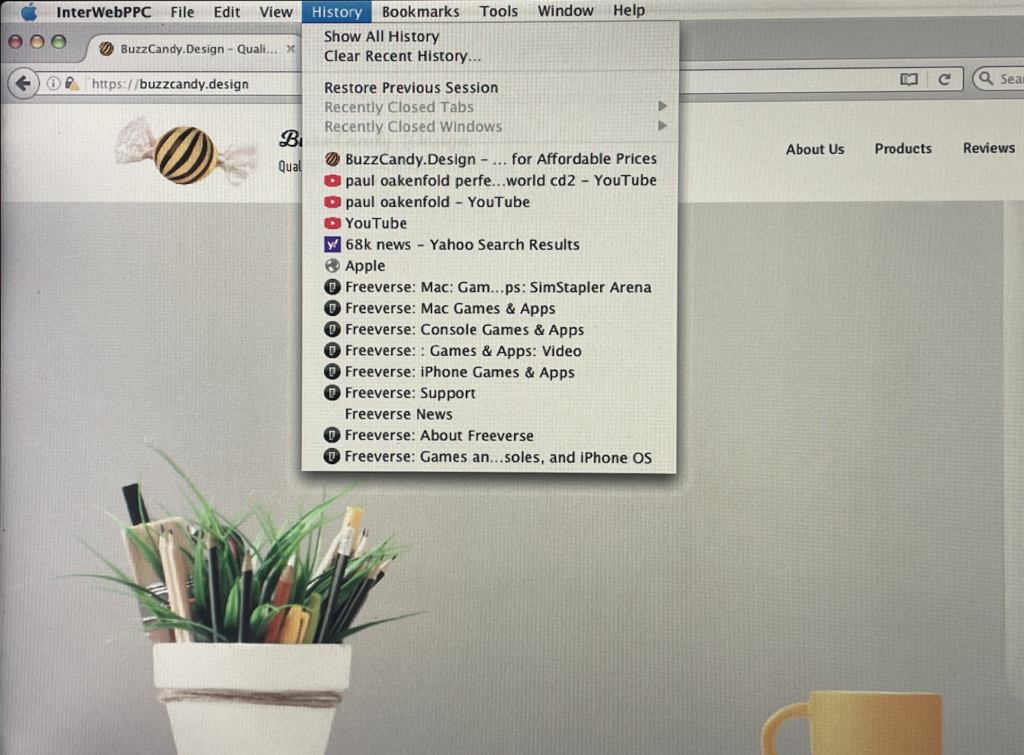
Our own BuzzCandy.Design site?
InterWebPPC wins.
The site loads with imagery, navigation and modern menu behavior intact enough to be genuinely useful.
eBay?
InterWebPPC wins again.
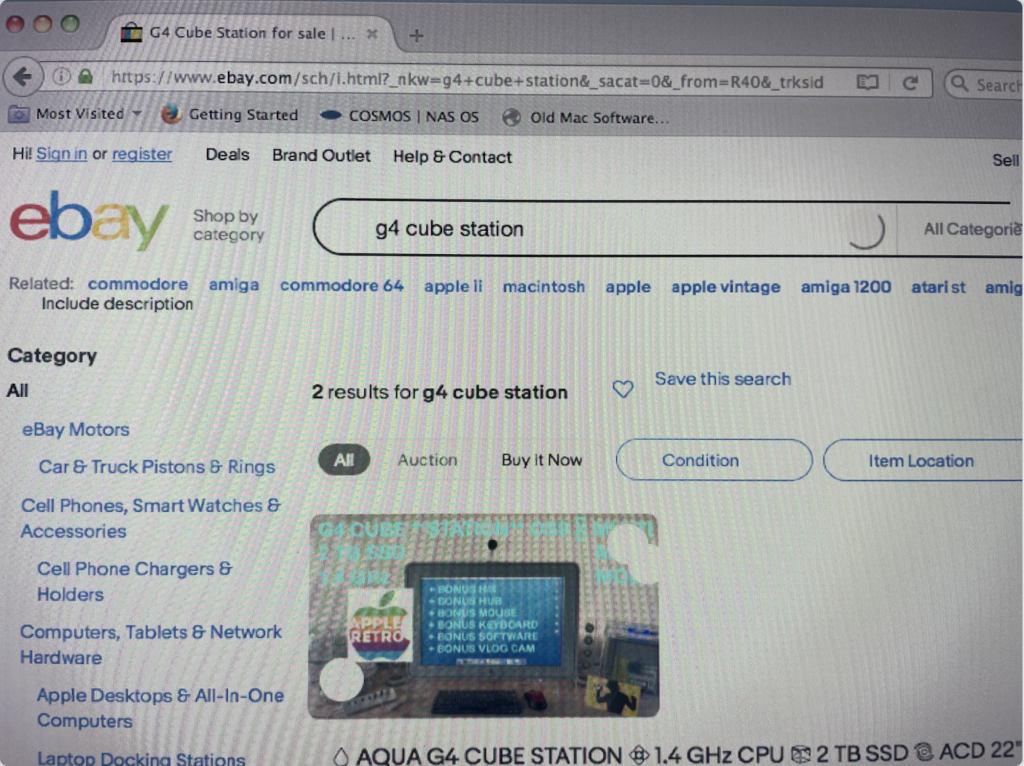
Our test reached an eBay search for a G4 Cube station and displayed the search interface, categories, product imagery and results.
That isn’t a preserved 2005 version of eBay.
That’s today’s vintage Mac reaching today’s marketplace to look for another vintage Mac.
There’s something delightfully circular about that.
YouTube Is Where Things Get Weird
YouTube demonstrates beautifully why there isn’t one universal answer to the question:
“Can a PowerPC Mac still use the web?”
InterWebPPC can get surprisingly far into YouTube.
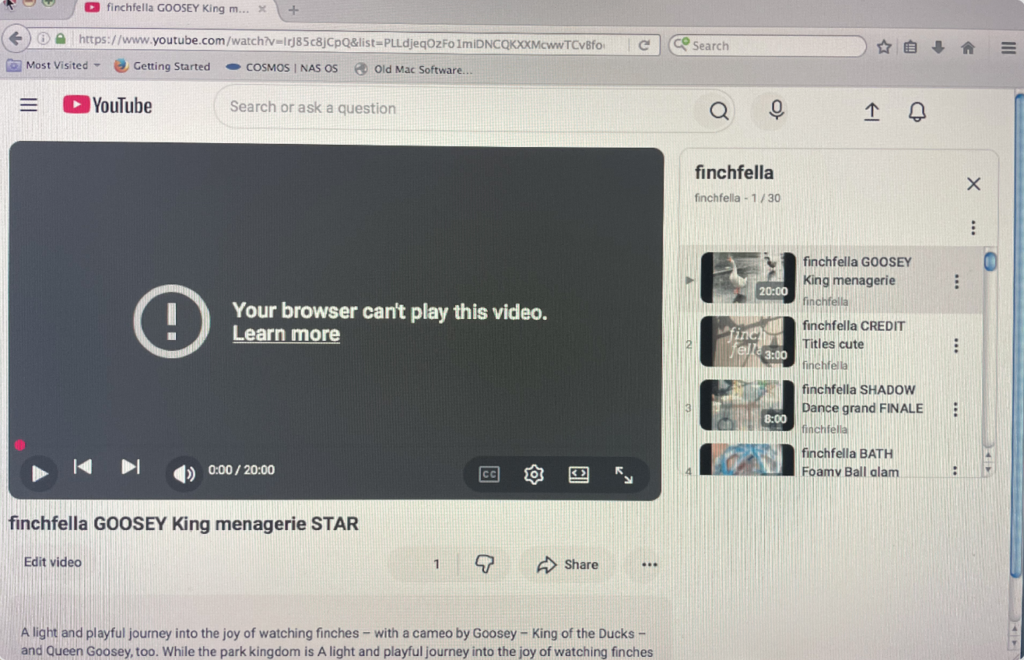
During one test it loaded our own FinchFella channel material, including the interface, playlist, thumbnails, description and player.
Then the player delivered the verdict:
“Your browser can’t play this video.”
So is YouTube working?
Yes.
And no.
The site is reachable. Much of the page renders. Navigation and information appear. The actual thing we came for—the video—fails.
But here’s the twist.
During another test, old Safari reached a mobile YouTube page for Paul Oakenfold’s Perfecto Presents Another Worldand got us farther with the media.
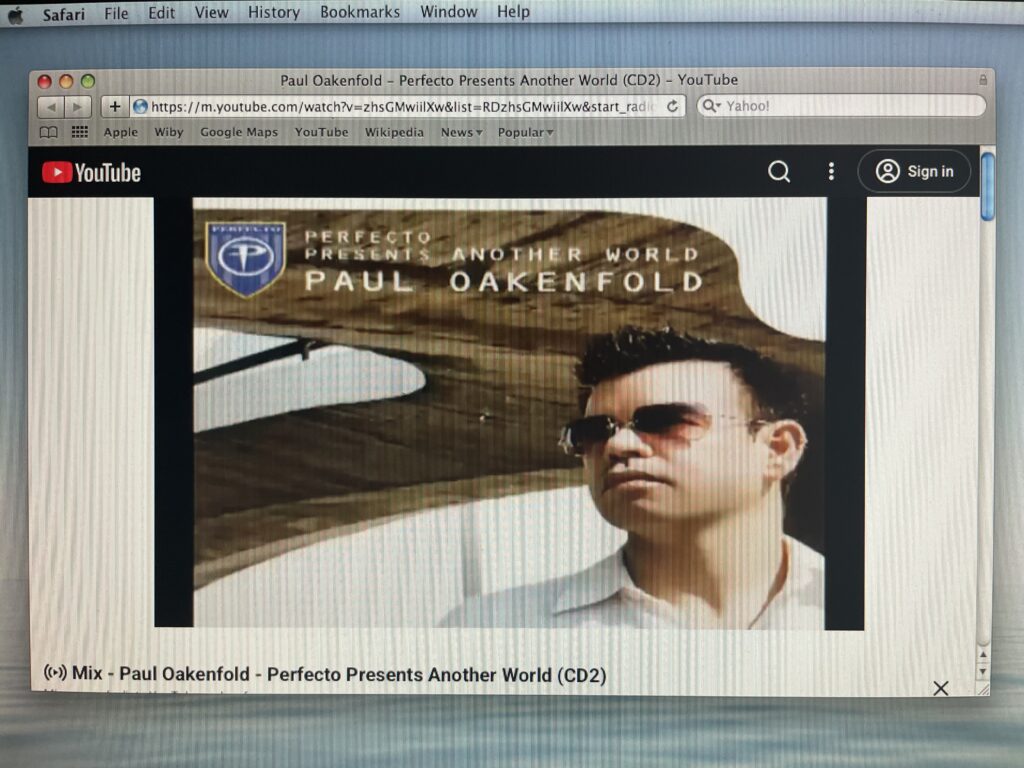
In our testing, Safari won that particular contest.
InterWebPPC began loading but eventually stalled before reaching playback.
This is why Apple Retro keeps several browsers installed on these machines.
The “best PowerPC browser” isn’t always one browser.
Sometimes it’s whichever one manages to get through the door you’re standing in front of.
Google Search Is Surprisingly Persistent
Here’s another thing we’ve learned:
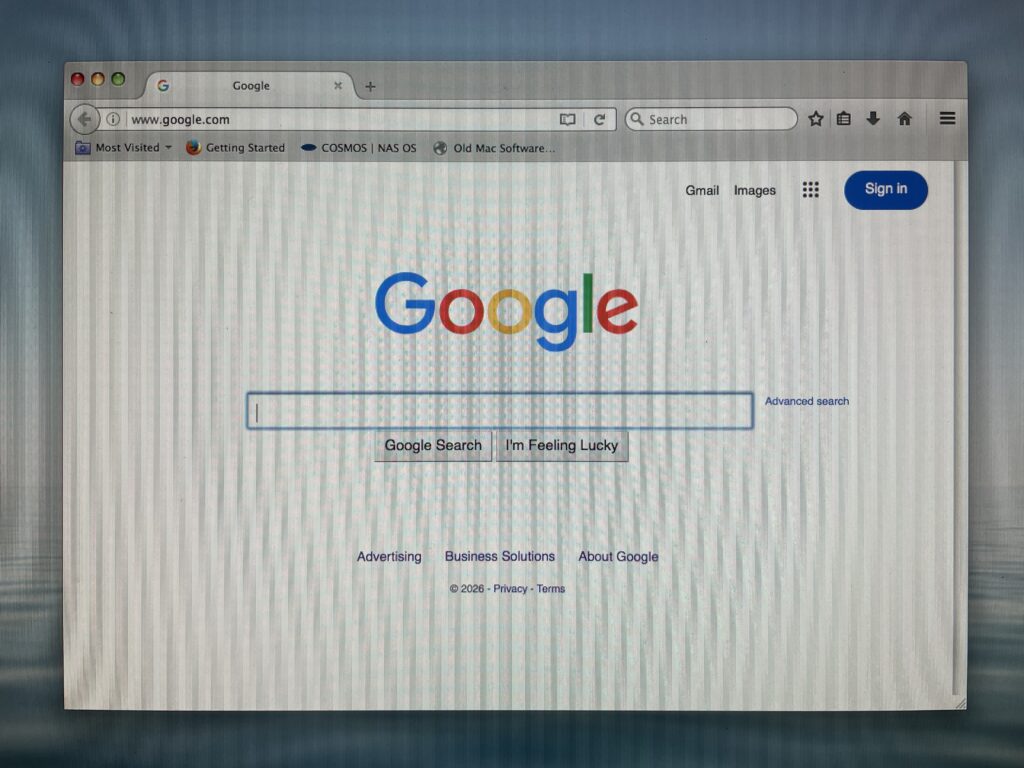
Google Search itself is remarkably good at appearing.
We’ve reached Google through browsers that can barely handle much of anything else.
The page may be simplified. Some features may not function. A browser may be ancient enough to receive an upgrade warning.
But basic search remains one of the most persistent modern services we’ve encountered.
And that gives an old Mac a surprisingly powerful tool.
You may not have a contemporary conversational AI client installed. You may not have today’s browser extensions or web applications. But if you can reach a functioning search engine, you can still ask the machine a question and receive access to an enormous amount of current information.
It’s almost the hidden free AI of the vintage Mac.
Almost.
Search isn’t the same thing as running a modern conversational AI service, of course. But on hardware built before anyone was casually asking computers questions in natural language, even ordinary web search remains an extraordinary bridge between eras.
And another bridge is appearing.
A PowerPC Mac Can Now Knock on AI’s Door
This is where our separate Pantheon investigation crosses briefly into this one.
Pantheon 1.0 is a native AI client we’ve been testing under Tiger and Sorbet Leopard. Its provider menu includes Anthropic, Google, Local Labs, OpenAI and a Custom option.
Google.
On a PowerPC Mac.
In 2026.
We haven’t completed the API connection portion of that experiment yet, so we’re not declaring victory here. Pantheon gets its own Apple Retro report because there is much more to investigate.
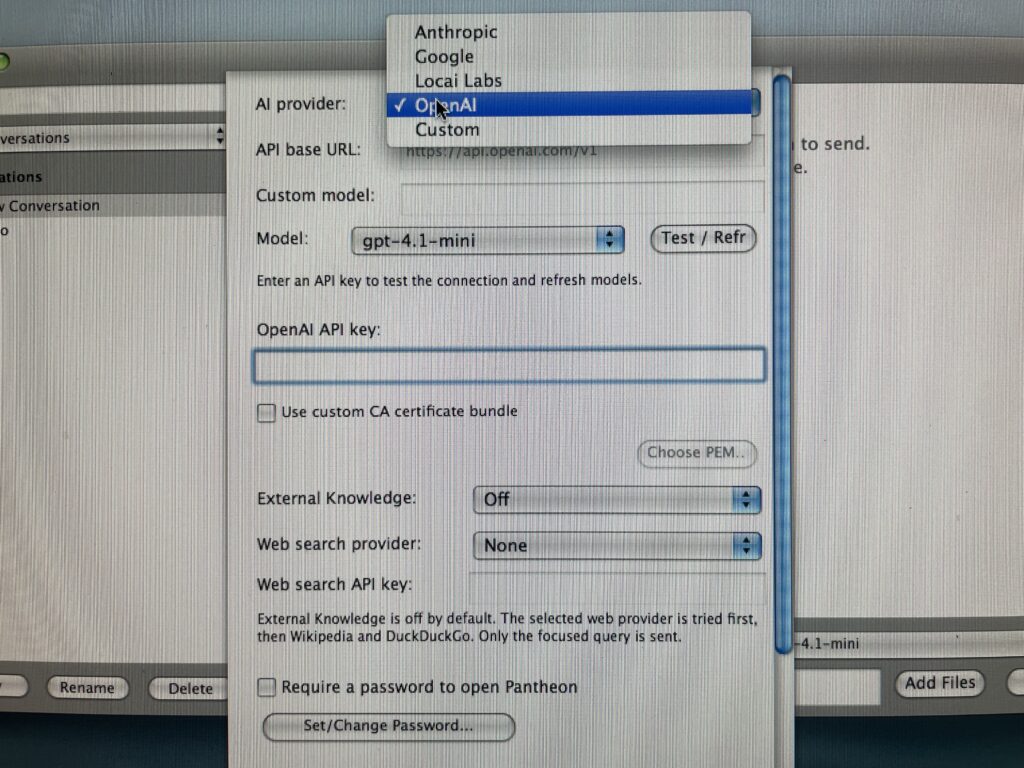
But the pathway exists in the software.
Twenty years after these Macs were built, we’re looking at a PowerPC application offering Google as a provider for artificial intelligence.
That sentence alone would have sounded completely ridiculous when Tiger was new.
And Tiger Still Remembers Google Talk
Then there’s iChat.
While investigating our original Apple iSight camera, we opened iChat’s account setup and found another little fossil that immediately caught our attention.
Alongside MobileMe, Mac.com, AIM and Jabber sits:
Google Talk Account.
We haven’t established a working buddy connection through it yet. That’s another experiment still sitting on the Apple Retro bench.
But the menu is there.
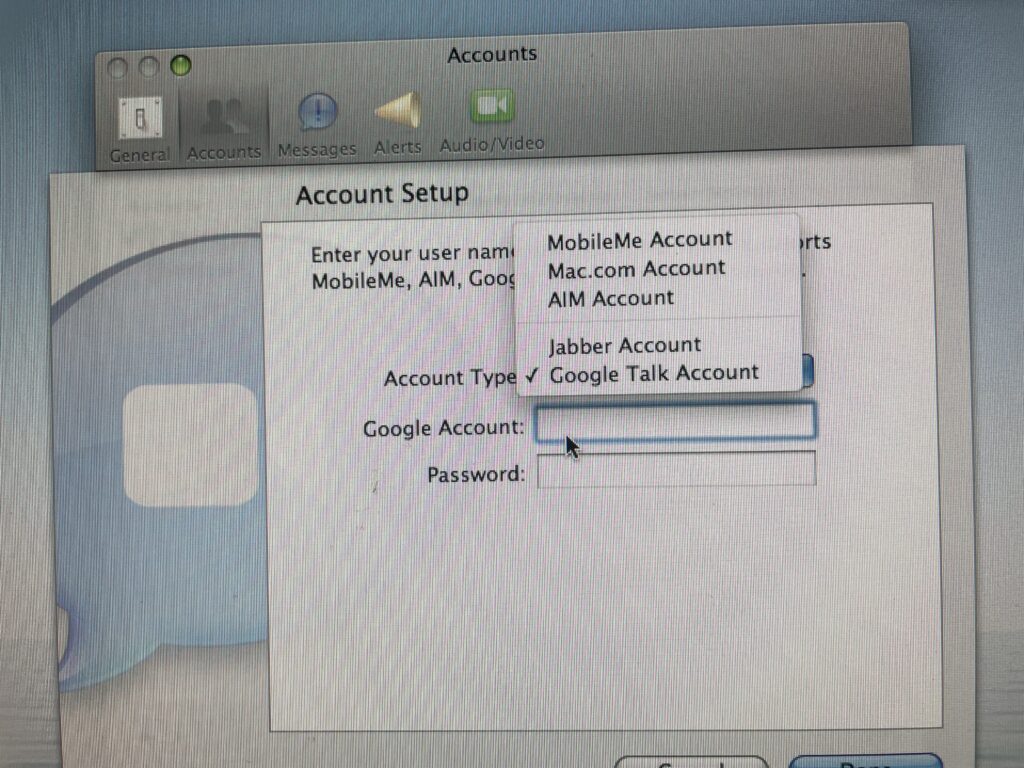
It documents another period when Apple’s communication software and Google’s services intersected directly on the Mac.
Whether we can make anything useful happen with that pathway today remains an open question.
We intend to poke it.
Of course we do.
Google Left Us Some Excellent Drawing Tools, Too
The web isn’t the only place Google’s presence survives.
We’ve also been working with the PowerPC-era version of SketchUp 7, along with its related Layout and Style Builder tools.
And unlike some of these web experiments, there’s no “almost” necessary here.
These remain perfectly useful drawing, construction and planning tools on the appropriate vintage Mac.
That’s an important part of what makes old computers interesting.
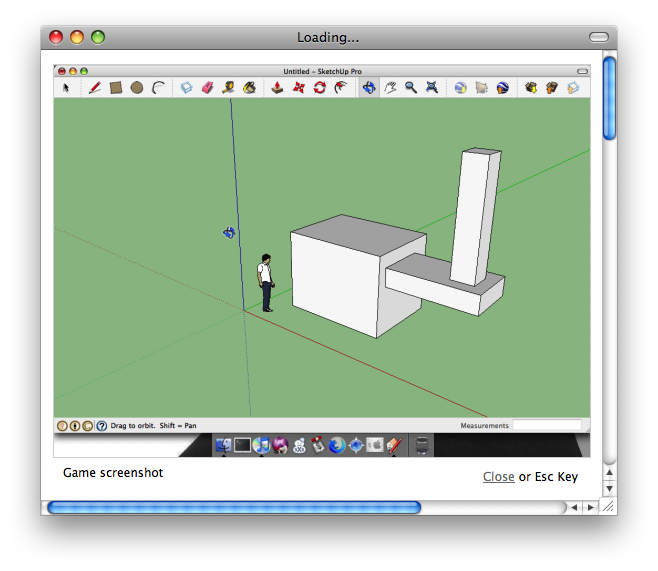
A web service can disappear overnight.
A server can be shut down.
A certificate can expire.
An account system can change.
But properly installed local software can just sit there waiting for somebody to open it again.
SketchUp doesn’t have to know that it’s 2026.
It just has to draw.
Sometimes “Almost Working” Is Actually Useful
Wells Fargo provided another fascinating example.
InterWebPPC can reach the site and render a remarkably recognizable banking page. During earlier Apple Retro testing, we were even able to see account information.
About six months later, that has changed.
Our present attempt gets through the sign-in process but eventually leaves us with an empty lower portion rather than usable account information.

So we’re not calling online banking functional—and we certainly wouldn’t recommend relying on an obsolete browser for sensitive financial activity.
But from a technical standpoint, the change itself is useful reporting.
Something that worked recently now gets only partway there.
We’ll try again later.
That’s the reality of using the contemporary web from vintage hardware. Compatibility isn’t always a permanent yes or permanent no.
Sometimes the answer is:
Tuesday.
iCloud Doesn’t Even Pretend
Then we tried iCloud.
No mystery there.
The page loads a large unhappy cloud and tells us:
“Your browser is not supported.”
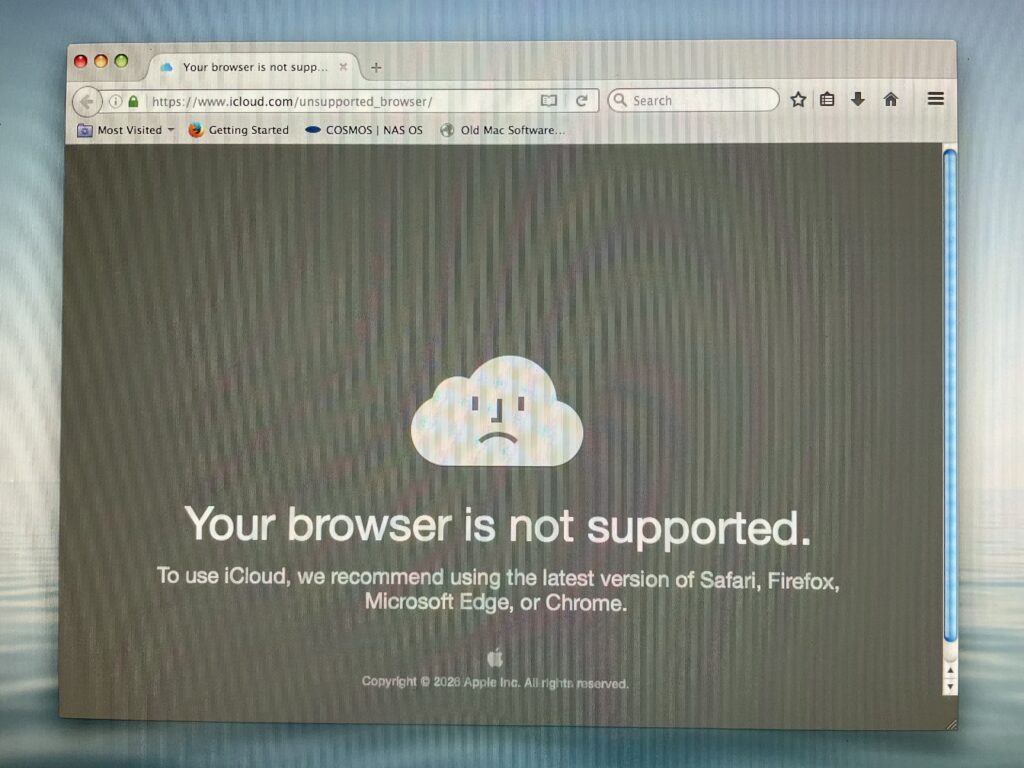
Fair enough.
That’s why the PowerPC Macs Apple Retro prepares don’t depend upon cloud applications for their basic usefulness. Local software matters enormously on vintage hardware, and applications such as iWork can continue doing their jobs without asking a remote service for permission to exist.
The sad little iCloud face can remain sad.
We’ll be over here writing.
Sorbet Leopard Keeps Winning Our Browser Tests
One unexpected side story has developed while doing all this testing.
We’ve repeatedly compared Tiger, standard Leopard and Sorbet Leopard.
We expected that moving from Tiger to Leopard might produce a broad improvement in software or web compatibility.
So far, we haven’t found that.
In Apple Retro’s particular testing environment, simply installing Leopard has not consistently produced better web access than Sorbet Leopard.
In fact, Sorbet has generally given us the strongest overall web experience—roughly nine times out of ten in our experiments.
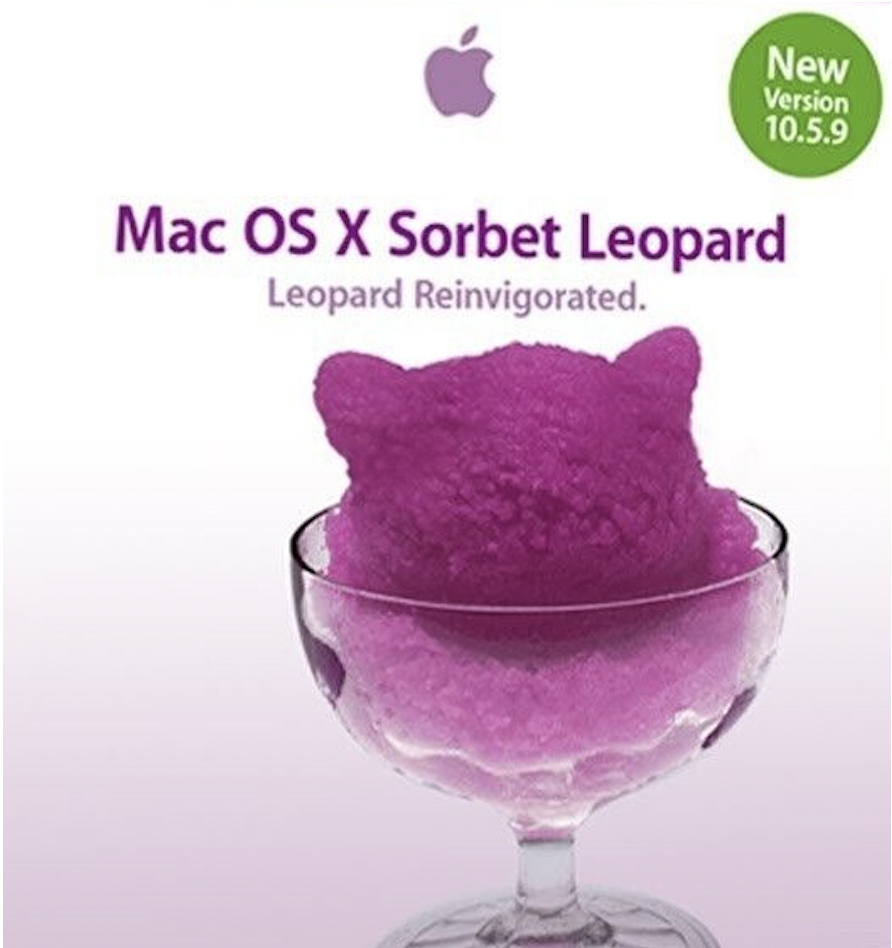
That doesn’t make Sorbet universally “better,” and we’ve discovered several exceptions worth documenting.
MacTracker 7 runs for us under standard Leopard but not Sorbet. Internal microphone audio and Bluetooth file transfer have also presented problems in our Sorbet setup.
Those exceptions made us suspicious enough to start triple-checking things.
Good.
That’s how you learn something.
But after all that checking, Sorbet remains our preferred PowerPC environment for much of this kind of online experimentation.
We’ll keep testing it until it gives us a reason to change our minds.
What About a Google Account?
This is another area we’re deliberately leaving open.
On later Intel versions of macOS, we’ve previously been able to get progressively more of a Google account working as the operating system and browser become newer.
At some point Gmail becomes practical.
Then additional Google services begin joining it.
Move far enough forward and the experience becomes increasingly normal again.
Exactly where those compatibility lines currently fall is something we haven’t mapped carefully enough to publish yet.
And the line moves.
That’s the important part.
Today’s answer doesn’t necessarily remain tomorrow’s answer when the service at the other end of the connection keeps changing.
So we’re putting that experiment into the next round rather than pretending we’ve already finished it.
Current results show that Google Account is not compatible with PowerPC – so not for Tiger, Leopard or Sorbet – and requires an Intel Mac running minimum Snow Leopard or greater macOS.
What Does Any of This Have to Do With Google?
That’s the question that started bothering us while putting these observations together.
Because it would be easy to write:
“Google still supports PowerPC Macs!”
It doesn’t.
At least that isn’t what our testing demonstrates.
What we’re seeing is something more complicated—and more interesting.
We’re seeing layers of computing history sitting on top of one another.
Old Google integration remains visible inside iChat.
Google-era SketchUp software remains useful locally.

Old Firefox can still reach Google long enough to be told it’s obsolete.
Arctic Fox can display Google Search.
InterWebPPC, descended from the broader Mozilla/TenFourFox browser lineage rather than Google, can use portions of today’s Google-centered web surprisingly well.
Pantheon presents Google as one possible bridge from PowerPC hardware into modern AI services.
And Google Search itself remains one of the easiest contemporary information services we’ve been able to reach from machines that are now roughly two decades old.
Google didn’t keep the PowerPC Mac alive.
But parts of the world Google helped build are still reachable from it.
That’s a much better story.
The Modern Vintage Mac Isn’t Offline
That’s probably the largest conclusion from this round of Apple Retro testing.
There is a tendency to divide computers into two categories:
Modern.
Obsolete.
But vintage Macs don’t behave that neatly.
A PowerPC Mac in 2026 can be offline for one service and online for another.
It can fail at iCloud, reach eBay, render a modern business website, search Google, partially load YouTube, run twenty-year-old professional software perfectly, and potentially communicate with a modern AI provider—all during the same afternoon.
That’s not obsolete in the ordinary meaning of the word.
It’s something stranger.
It’s a computer living between eras.
And figuring out exactly how much of 2026 it can still reach is becoming one of our favorite experiments.
Apple Retro Field Notes
Working or substantially working in our testing: Google Search through several browser routes; InterWebPPC browsing on a range of contemporary sites; BuzzCandy.Design through InterWebPPC; eBay through InterWebPPC; PowerPC-era SketchUp tools; Firefox 3.6.24 as a functioning application; Arctic Fox reaching contemporary Google Search.
Partial or inconsistent: YouTube, with results varying by browser; Wells Fargo, which presently reaches the service but no longer gives us the account access we previously observed; contemporary sites whose pages render but whose more advanced functions may fail.
Not working in this round: the Google Chrome and Chromium packages we tested on Tiger, Leopard and Sorbet Leopard; iCloud through our PowerPC browsers; FinchFella YouTube video playback through InterWebPPC.
Still investigating: Google Talk through iChat; Google as an AI provider through Pantheon; current Google Account access across different versions of Mac OS X/macOS; additional browser combinations; and whatever else these old machines decide to surprise us with.
This isn’t a compatibility chart.
It’s field reporting.
The web will change again. Something that works today may stop. Something we dismissed may turn out to work through another browser, another setting or another route.
So we’ll keep the PowerPC Mac running.
We’ll keep opening doors.
And we’ll report what we find.
We aim to please. And fascinate.
Leave a Reply