Apple gives away an astonishing amount of its development environment for free. So what exactly does $99 a year buy—and when does it begin to matter?
In 2005 or 2006, I walked into the Apple Store on Third Street Promenade, bought myself a Mac, brought it home and plugged it in.
Then something unexpected happened.
A little dialogue appeared on the screen.
It thanked me—by name—for choosing to become an Apple developer.
And it was signed:
–Steve Jobs
I hadn’t built anything.
I don’t remember even registering the development software yet. I certainly wasn’t sitting there with some brilliant new Macintosh application ready for release.
The thing just appeared.
At first, the natural reaction was something like: Yeah, sure. Thank you for the proper hazing ritual.
But here’s the funny part.
I still remember it.
Twenty years later.
Nobody else had ever thanked me for choosing a profession. Nobody welcomed me into a group quite that way. And somewhere along the road that silly little message acquired considerably more power than it probably possessed when it first appeared.
Maybe I am Neo.
Steve knows.
I’m in.
Then I proceeded to become almost everything except an Xcode developer
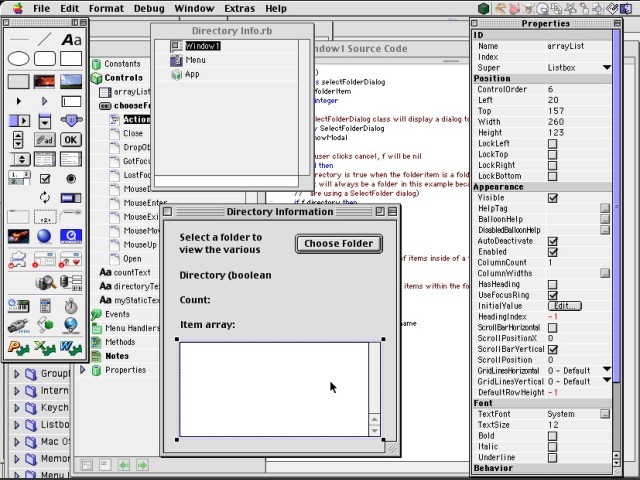
There was REALbasic.
REALbasic 5.5.5 was an extraordinary little universe in its own right. Its Build Settings window tells the story beautifully: one development environment could target Mac OS X, Mac OS 8–9 Classic, Windows 98/NT/2000/XP and Linux/x86.
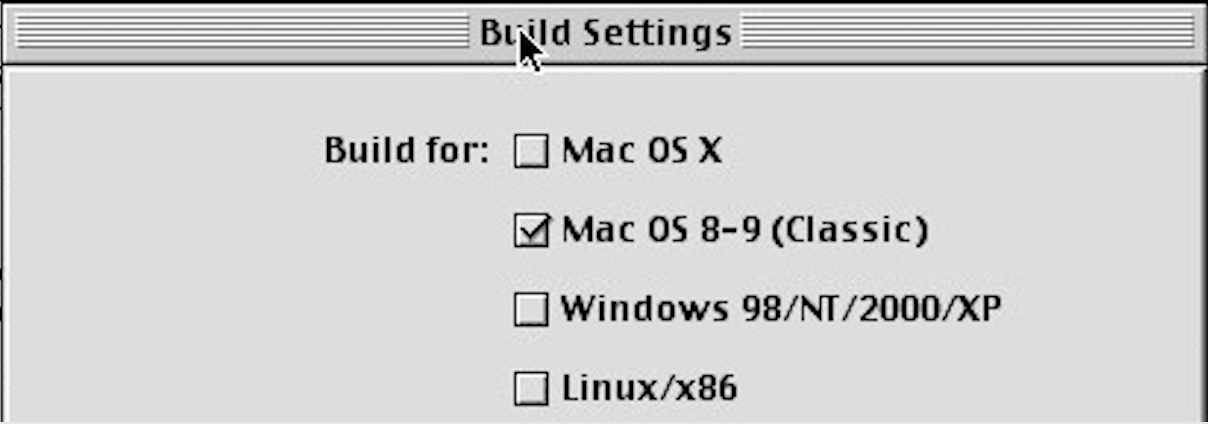
Think about that screen for a moment.
It isn’t simply an old programming application. It’s practically a map of personal computing in the early 2000s.
REALbasic offered databases, graphics, QuickTime support and a visual interface-building environment. It was approachable enough to make the possibility of writing software feel remarkably close.
We played with it.
Then we swerved.
FileMaker Pro became the tool that actually consumed the years. Databases were built. Systems were built. Then rebuilt. Then improved. Then rebuilt again.
And Xcode?
Xcode sat over there.
Every once in a while we’d look at it and say:
We see you. We’re gonna dive in one of these days. That’s for sure.
One of these days has now lasted approximately twenty years.
And then Pantheon happened
This is where an old story suddenly connects to a very new one.
While researching our recent Apple Retro article about Pantheon—the native AI client bringing contemporary artificial-intelligence services to PowerPC Macs—we discovered something that made us look again at Apple’s old development tools.

Developer David Robinson used Xcode 3.1.4 while building Pantheon.
Here was software from 2026 being created for computers from another age using an Apple development environment that itself belongs to vintage-Mac history.
That changes the way you look at the old hammer.
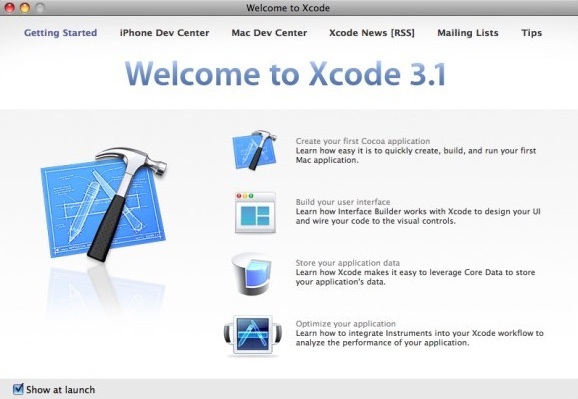
Xcode 3 isn’t merely something sitting on an abandoned installer disc anymore. Somebody picked it up and built something new with it.
So Apple Retro installed Xcode and started poking around again.
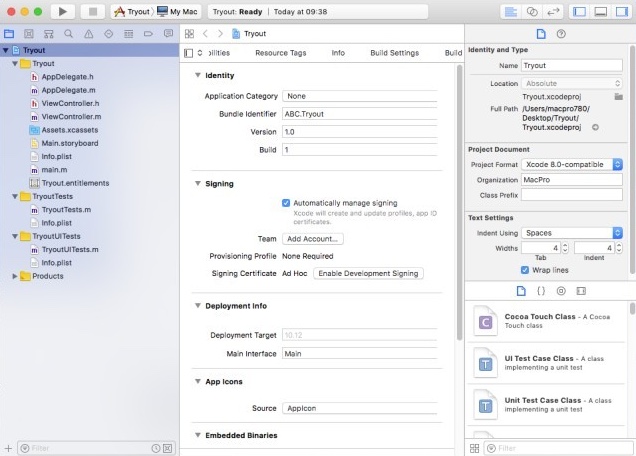
The application is substantial. Templates. Editors. Compilers. Interface tools. Debugging facilities. Project management. Build settings.
And, yes, a learning curve standing over in the corner looking at us.
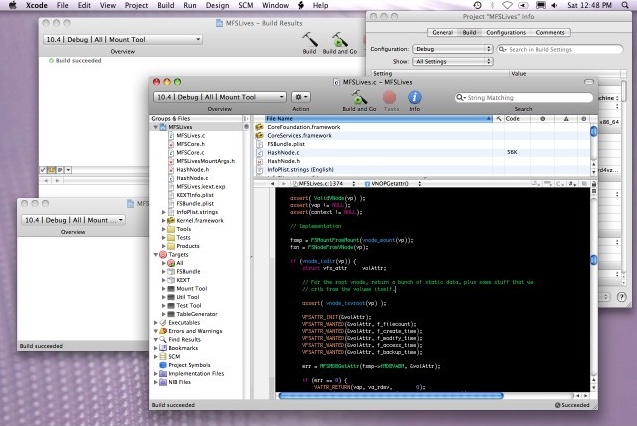
After installing the whopping application and poking around, it’s just waiting for us to hit those templates—which is exciting.
The learning curve?
Not so much.
—Buzz Gong
But this raised another question.
If someone today wants to learn Apple’s development tools—or simply experiment with them—does it actually make sense to pay Apple $99 every year for Developer Program membership?
We went looking.
The answer surprised us.
You don’t need the $99 membership to begin
This is important.
Apple currently allows anyone with an Apple Account to register as an Apple developer for free.
That free account includes Xcode developer tools, beta versions of Xcode and Apple’s operating systems, testing applications on your own devices, the Apple Developer Forums, Feedback Assistant and participation in online Meet with Apple events. Apple’s Xcode resources also include documentation, sample code, videos, tutorials, command-line tools and downloads of older Xcode versions.
In other words, if Apple Retro’s excuse for not finally learning Xcode is:
We don’t want to spend $99 just to learn the thing…
Apple has removed our excuse.
Damn.
So what does the hundred bucks actually do?
That’s where things become more interesting.
Reason One: $99 turns experimentation into distribution
This may be the cleanest dividing line between Apple’s free developer access and the paid Apple Developer Program.
You can learn Xcode without paying Apple.
You can write software without paying Apple.
You can test software on your own devices without paying Apple.
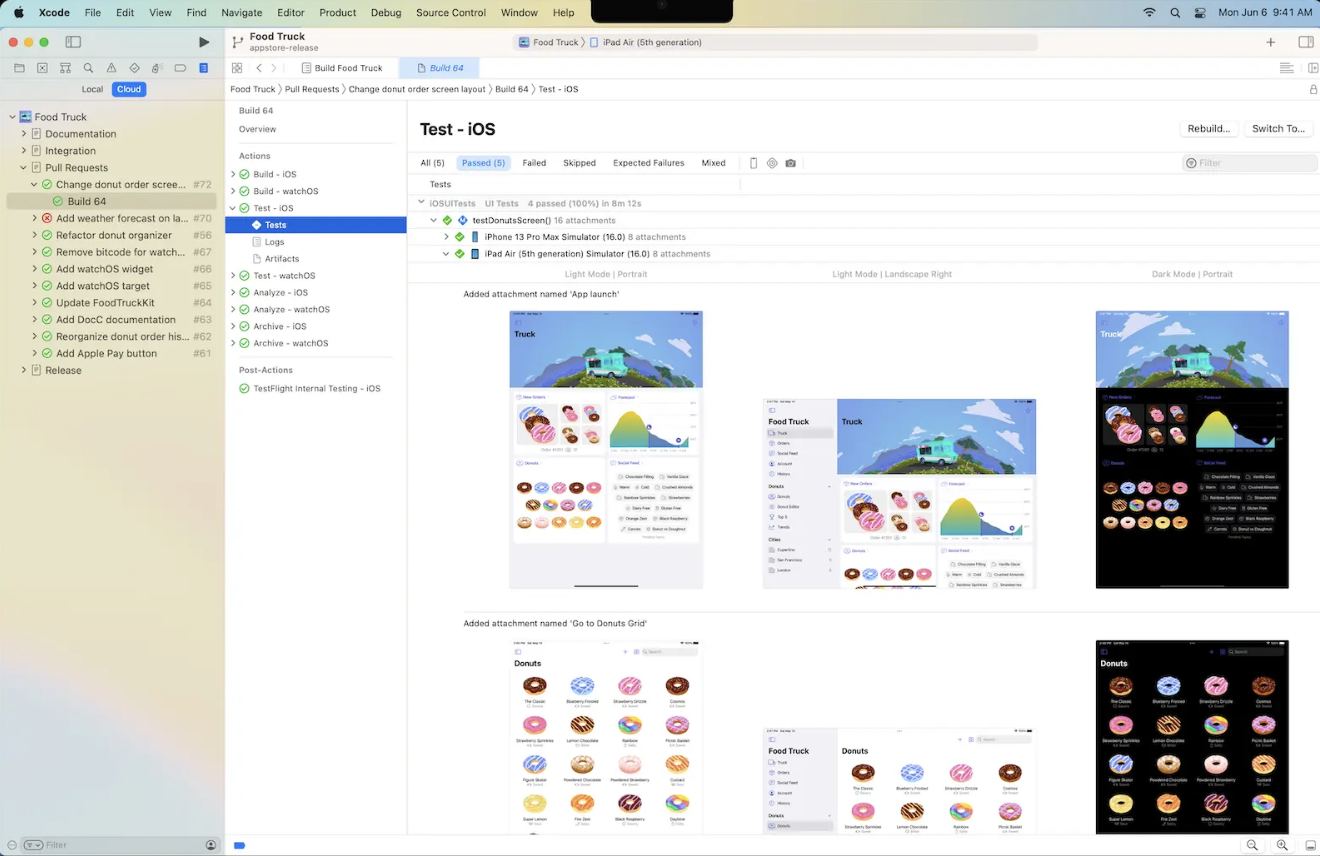
But when you’re ready to enter Apple’s formal distribution ecosystem, the paid program opens the machinery designed to get that software into other people’s hands.
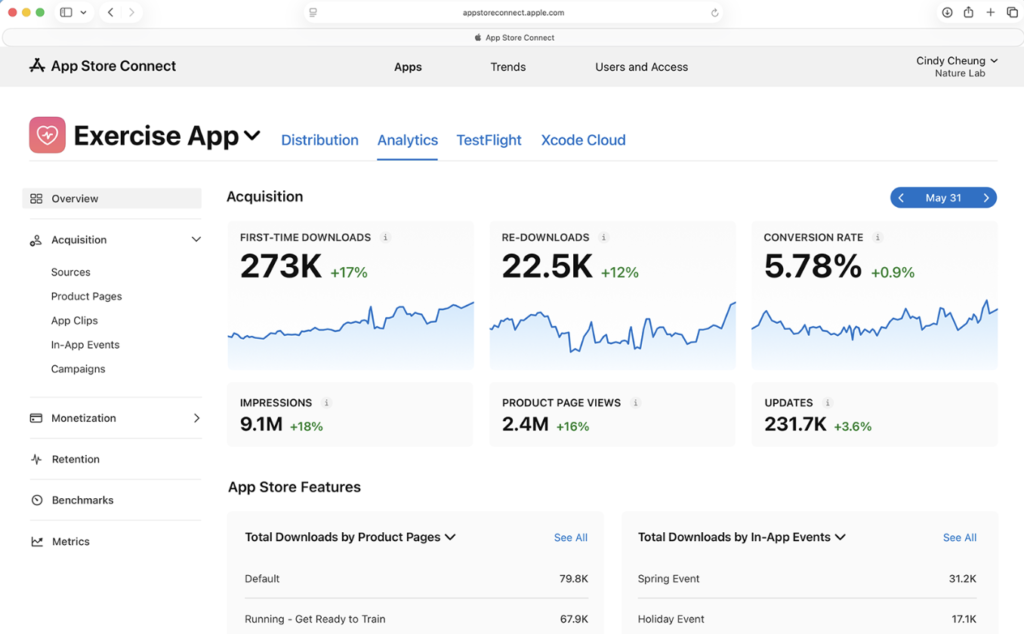
Apple currently prices the Apple Developer Program at $99 per membership year in the United States. Membership adds App Store distribution, TestFlight beta distribution, App Store Connect, Certificates, Identifiers & Profiles and the associated services for managing software through Apple’s ecosystem.
This is more significant than “pay $99 and get some extra developer goodies.”
You’re buying the bridge between:
I made something.
and
Other people can actually use what I made.
TestFlight lets developers invite testers and manage beta builds. App Store Connect handles applications, distribution, analytics and other parts of operating software in Apple’s commercial ecosystem. Certificates and provisioning establish the identities and permissions needed for modern Apple software distribution.
That’s when membership stops looking like a club fee.
It starts looking like infrastructure.
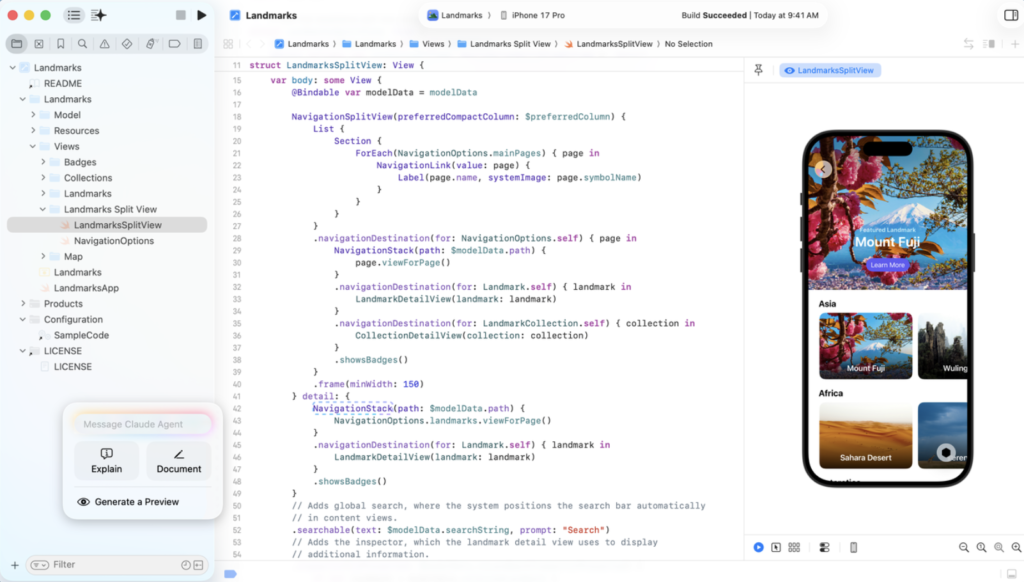
And that distinction is particularly interesting from Apple Retro’s strange little corner of the world.
We may spend today experimenting with Xcode 3 on a PowerPC Mac.
But if that experimentation eventually turns into something intended for contemporary Apple users, the path leading from private project to public software still runs through Apple’s developer infrastructure.
The old Xcode window and the modern developer account suddenly occupy the same story.
Reason Two: You gain access to the machinery behind the curtain
This was the part Apple Retro found unexpectedly fascinating.
Apple maintains an entire Developer System Status page.
Not the normal consumer status page.
The developer one.
And it is magnificent.
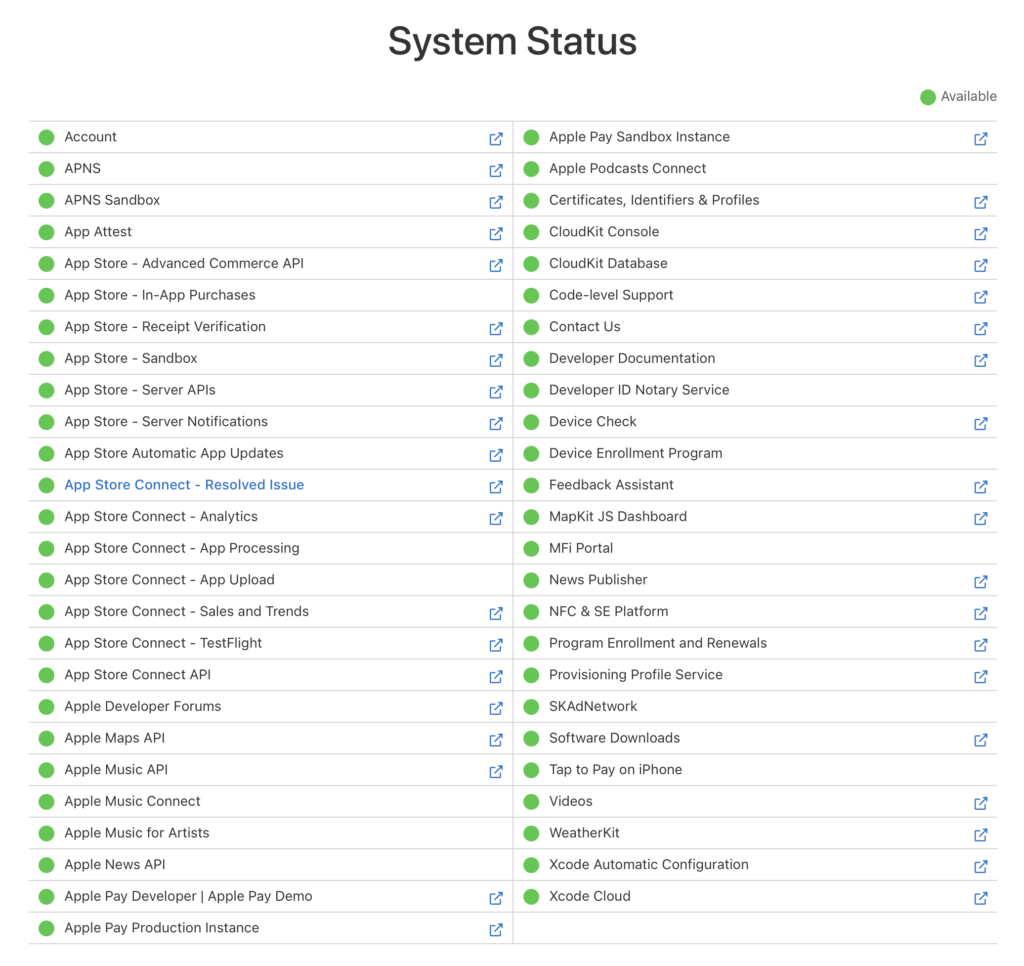
Certificates, Identifiers & Profiles.
App Store Connect.
App processing.
App uploads.
Analytics.
TestFlight.
Developer Documentation.
Developer ID Notary Service.
Provisioning Profile Service.
Software Downloads.
Xcode Automatic Configuration.
Xcode Cloud.
API services.
Dozens of individual systems, each sitting there with its little status indicator.
When we checked it for this article, the board was essentially a wall of green.
Meanwhile, during our reporting we happened to catch an issue on Apple’s regular consumer System Status page. Apple TV was reporting an ongoing problem.
We took a picture.
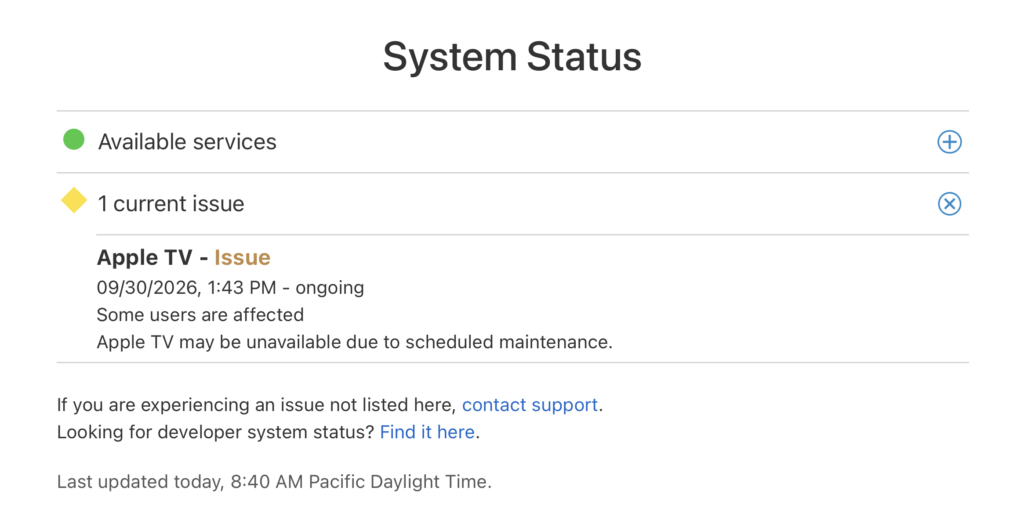
Then we came back.
Gone.
Everything changes.
That seemingly mundane experience made Apple’s developer status board more interesting to us, not less.
When you’re troubleshooting software, there’s an enormous difference between:
My build isn’t working.
and:
Apple’s service isn’t working.
Anyone who has spent hours dismantling their own setup only to discover that somebody else’s server was down will understand the value immediately.
Apple’s own support documentation makes the dependency concrete. If paid program access expires—or access is interrupted by an agreement issue—features including membership-restricted software downloads, Xcode automatic signing, Xcode Cloud, Certificates, Identifiers & Profiles, TestFlight, App Store Connect services and Apple’s notary service can become unavailable.
Suddenly all those little green dots aren’t decoration.
They’re the pulse lights for an enormous software factory.
For somebody casually learning Xcode, that may not matter much.
For somebody trying to ship something?
It matters.
Reason Three: You’re buying a path from community service to business
This one may ultimately be the most important to Apple Retro.
Apple’s developer world begins remarkably openly.
Documentation.
Forums.
Tools.
Sample code.
Tutorials.
Beta software.
Questions and answers.
Apple engineers and other developers participate in the Developer Forums, which Apple describes as a place for code-level questions; the system also tracks accepted answers and Apple-recommended responses.
That makes the free level useful even if your brilliant new app currently consists of:
Hello World
followed by:
Why doesn’t this compile?
But paid membership creates a route from learning and community participation into an actual software operation.
You can distribute.
You can beta-test with outside users.
You can manage apps.
You can see analytics and sales information.
You can use membership services involved in signing and distribution.
And Apple includes access to code-level technical support among the paid program’s benefits.
That’s the magic key we almost missed.
The $99 isn’t necessarily buying the education.
Apple already gives away much of the education.
It’s buying the ability to take what you’ve learned and move toward operating something.
A hobby can remain a hobby.
A community project can remain a community project.
An experiment can remain an experiment.
But if one of them unexpectedly becomes useful enough that other people want it, the road onward is already there.
That’s a very different proposition.
And some developers don’t pay the $99 at all
There’s another wrinkle.
Eligible nonprofit organizations, accredited educational institutions and government entities can request an Apple Developer Program fee waiver, subject to Apple’s requirements. Apple’s current rules include restrictions involving paid apps, in-app purchases and digital goods or services.
Apple Developer Program fee waivers
Apple first announced the U.S. fee-waiver program in 2018 and subsequently expanded availability.
That’s worth mentioning because it reinforces something we hadn’t fully appreciated when we began this article.
Apple’s developer ecosystem isn’t arranged simply as:
Pay us $99 and we’ll teach you to program.
It’s more layered than that.
There is a substantial free entry point.
There is a paid distribution and services layer.
There are accommodations for qualifying organizations doing certain kinds of noncommercial work.
And then there is the enormous community surrounding all of it.
So should Apple Retro finally learn Xcode?
Uh-oh.
We’ve reached the uncomfortable portion of our reporting.
There appears to be considerably less standing between us and that first Xcode project than we thought.
The tools are available.
The documentation is available.
The forums are available.
The tutorials are available.
And Apple explicitly says you don’t need paid Developer Program membership simply to get started developing and testing applications on your own devices.
Twenty years ago, a little message appeared on a newly purchased Mac and welcomed one would-be developer aboard.
REALbasic got explored.
FileMaker got hammered on for two decades.
Xcode kept waiting.
Then, in 2026, we encountered a new artificial-intelligence client for PowerPC Macs and discovered that its developer had reached back to Xcode 3.1.4 to help build it.
Maybe that’s the part of this story that matters most.
Old development tools aren’t necessarily dead because they’re old.
New development tools aren’t useful merely because they’re new.
They’re tools.
Eventually somebody has to build something.
And perhaps the most compelling reason to remain aboard Apple’s developer program isn’t what Apple promises might happen.
It’s knowing that if the day finally comes when something you’ve been tinkering with turns into something worth sharing, the machinery required to take the next step is already waiting.
Rather like Xcode has been waiting for us.
Patiently.
For twenty years.
Apple Retro Field Notes
What we confirmed: Apple’s free developer registration already provides Xcode tools, beta software, on-device testing, Developer Forums and Feedback Assistant. The paid Apple Developer Program is currently $99 per membership year in the U.S. and adds the infrastructure surrounding broader testing, distribution, App Store operation and additional support. Apple’s developer service-status system also provides unusually granular visibility into the infrastructure supporting those workflows. Apple Developer
What we’re doing next: Apple Retro has been exploring the Xcode environment, but we have not yet compiled our ceremonial first “Hello World.” So we’re not going to pretend we’ve become software developers because we successfully opened the application and admired its templates.
We have, however, run out of several excellent excuses.
Reporting continues.
We aim to please. And fascinate.
Leave a Reply