

A native Tiger application connects vintage Apple hardware with today’s AI services—and Apple Retro has begun putting it through its paces.
Artificial intelligence on a PowerPC Mac?
Yes.
That’s the wonderfully improbable premise behind Pantheon 1.0, a new native AI client created specifically for PowerPC Macs running Mac OS X 10.4 Tiger or later.
And this isn’t an old browser being coaxed into displaying a modern AI website. Pantheon was written in Objective-C and AppKit, without a WebKit wrapper, and designed to communicate directly with modern AI providers over HTTPS. Its creator says the application supports TLS 1.2 and 1.3 and requires no proxy server, Raspberry Pi or second computer sitting between the vintage Mac and the AI service. MacRumors Forums
That got our attention.
So Apple Retro installed it.
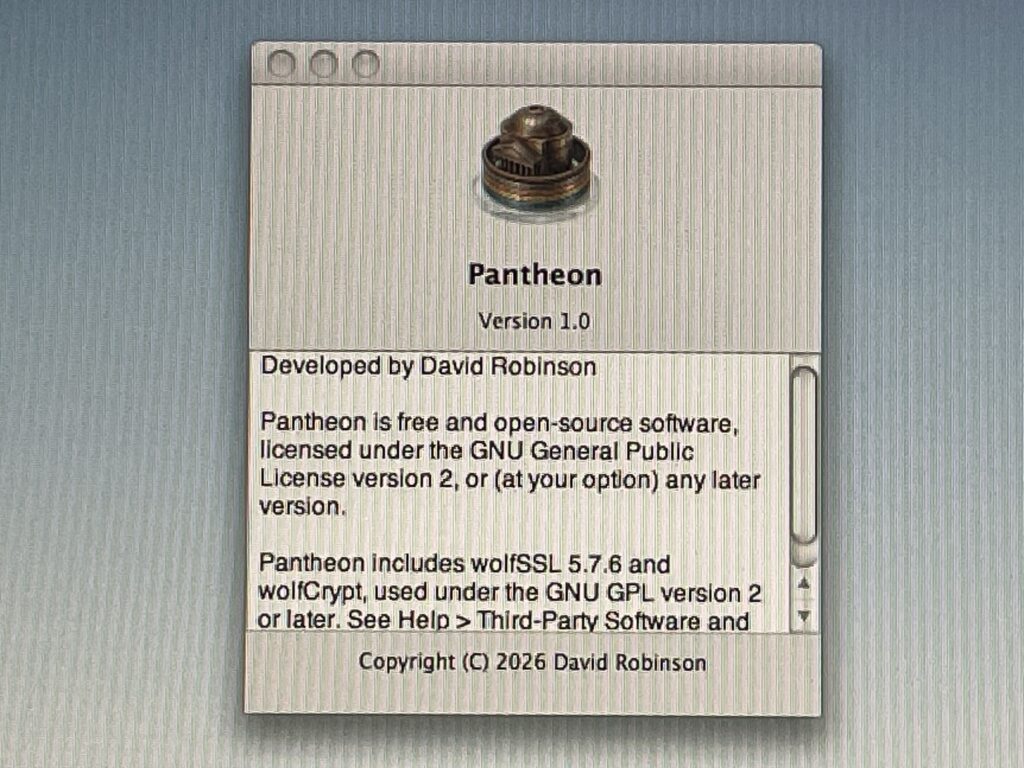
First stop: Tiger
Pantheon looks strangely at home there.
That’s intentional.
Its creator explained that one of the project’s priorities was to build something with the native look and behavior of the platform rather than transplanting a modern web interface onto an old machine. Pantheon was built using Objective-C and AppKit and compiled with Xcode 3.1.4, with additional compilation work performed on a G4. MacRumors Forums
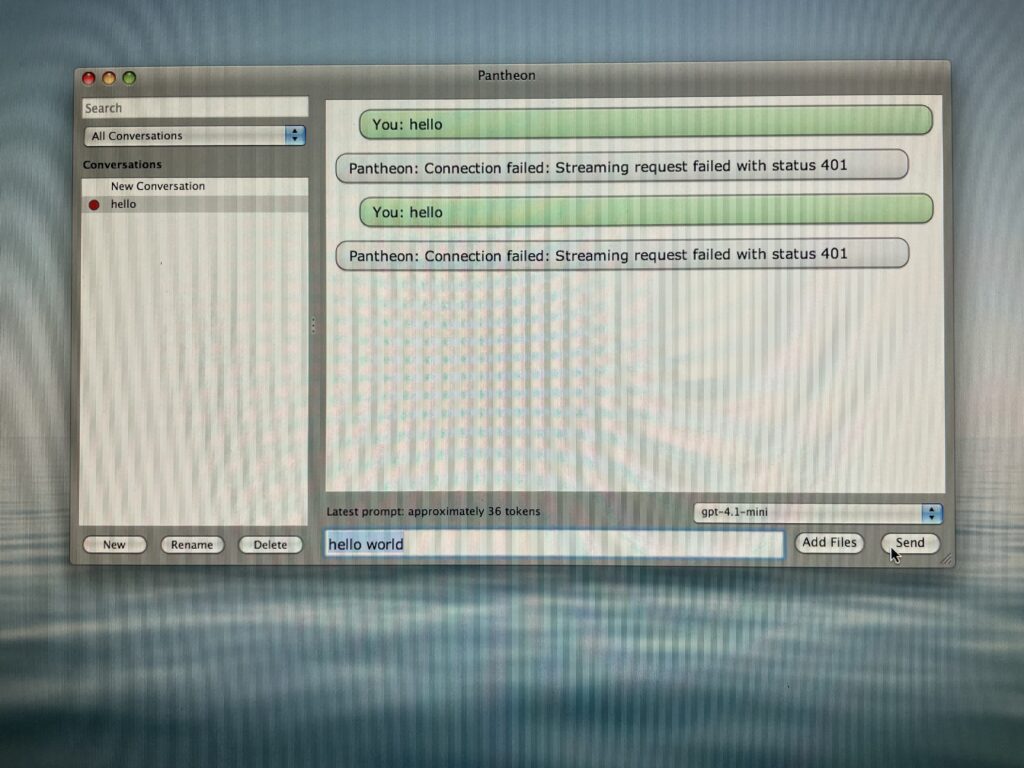
In our preliminary Apple Retro testing, Pantheon 1.0 launches and operates under Tiger. We’ve also had the application running under Sorbet Leopard.
That’s an important distinction from saying we’ve tested the entire AI experience.
We haven’t.
Not yet.
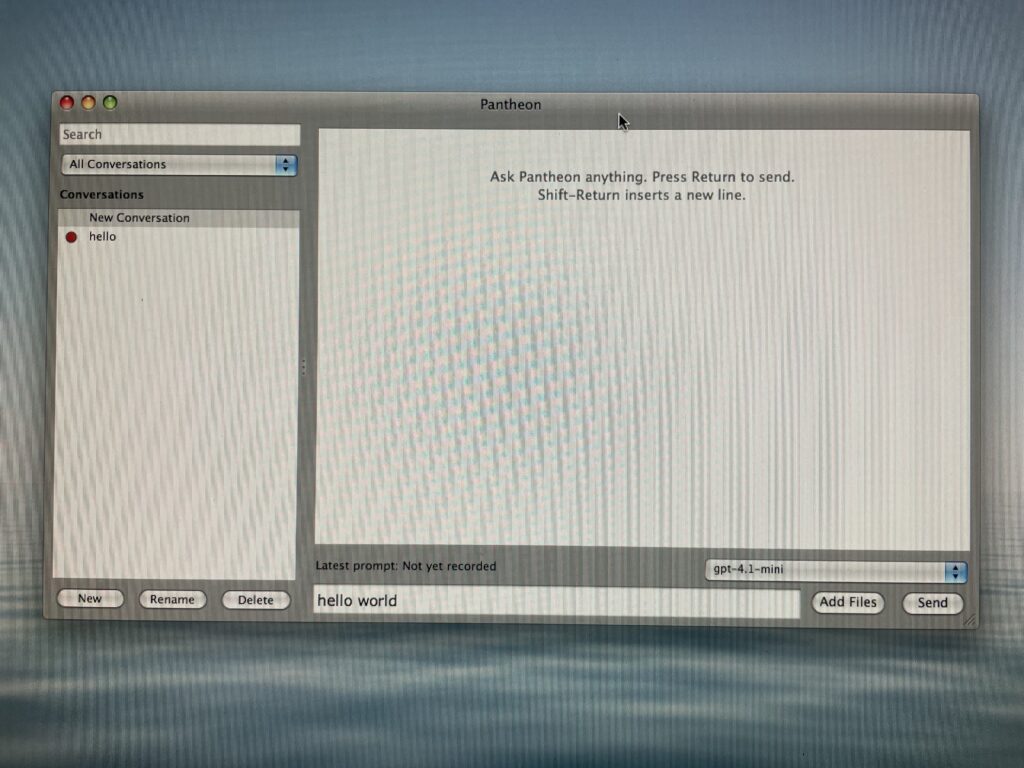
What we’ve established so far is that the application itself is alive on our vintage hardware, its interface works, its preferences are accessible and it’s ready to be configured with an AI provider.
Now comes the interesting part.
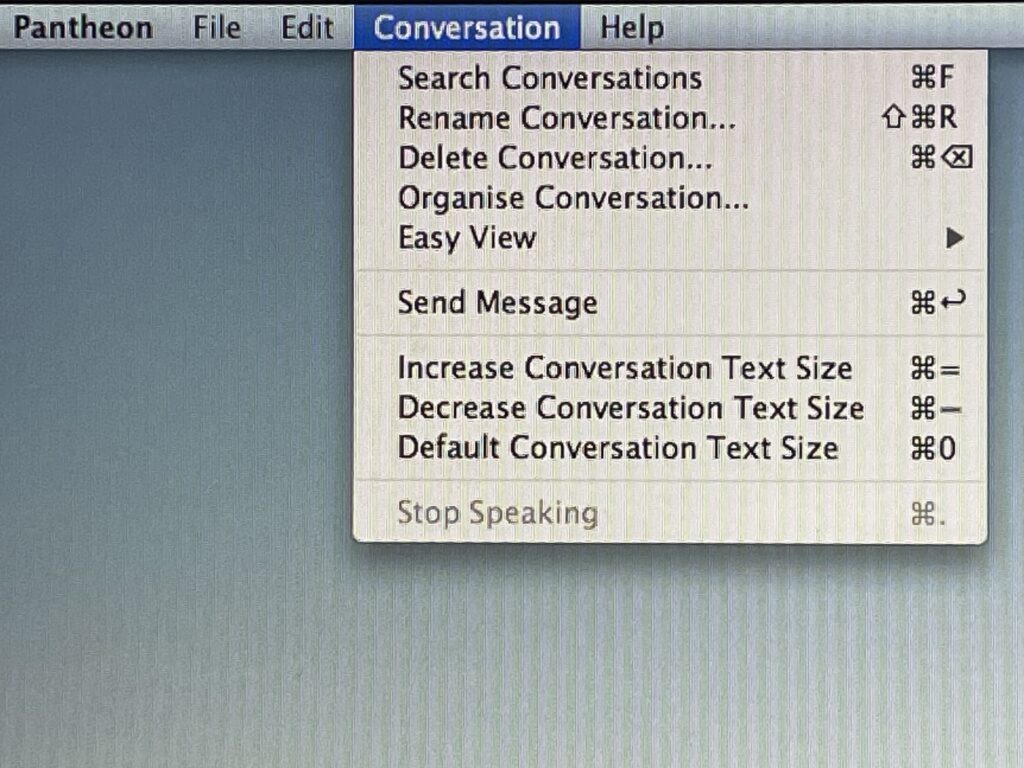
This is a surprisingly serious little application
Open the menus and Pantheon begins revealing just how ambitious it is.
Conversation management includes searching, renaming, deleting and organizing conversations, along with adjustable conversation text sizes and speech controls.
The broader feature set described by its creator goes considerably further: Markdown rendering, attachments, multimodal input, persistent conversation history, search and organization, conversation export, live web search and accessibility features are all part of the design. MacRumors Forums
And Pantheon isn’t tied to one AI company.
Our Preferences screen presents multiple provider choices and the necessary fields for connecting to an AI service.
That’s where an important modern reality enters the vintage-computing experiment.
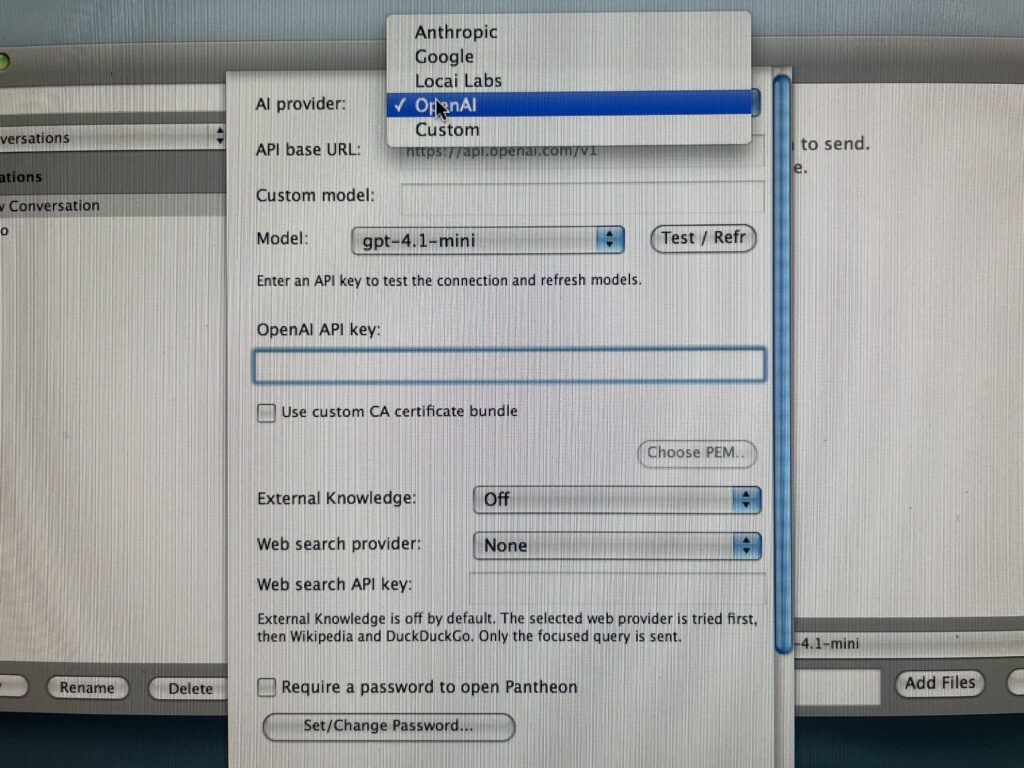
The application may be free. The intelligence behind it is another matter.
Pantheon itself is free and open source under the GNU GPL v2 or later. MacRumors Forums
But an AI client still needs an AI service.
That generally means obtaining the appropriate API credentials from whichever provider you choose and entering them into Pantheon. An ordinary consumer AI subscription and API access shouldn’t automatically be assumed to be the same thing; even commenters experimenting with Pantheon have encountered that distinction. MacRumors Forums
The good news for experimenters is that at least some providers currently offer ways to begin inexpensively. Google’s current Gemini API documentation, for example, includes a Free Tier for certain models with defined rate limits. Google AI for Developers
Rather than turn this article into a pricing chart that may become obsolete, Apple Retro is going to do something simpler:
We’re going to try it.
We’ll obtain credentials for one or more supported services, connect Pantheon and find out what this experience is actually like on vintage Apple hardware.
Why Pantheon exists may be the best part of the story
The project began with a wonderfully practical annoyance.
Pantheon’s creator was using AI on a phone to get help with Terminal commands for a Power Mac G5. Then came the obvious question:
Why not communicate with the AI from the Power Mac itself, where the commands could simply be copied and pasted?
Existing approaches often involved another computer, a proxy, a Raspberry Pi or substantial setup—and Tiger support was particularly troublesome. So he decided to build the application he wanted. MacRumors Forums
That origin story makes sense to us.
Vintage Macs don’t become interesting merely because somebody manages to make a modern technology appear on their screens.
They become more useful when that technology solves an actual problem while you’re using the vintage Mac.
Need help with a Terminal command?
Ask from the G4.
Need some writing assistance while working in Tiger?
Stay in Tiger.
Need to move the answer into the application you’re already using?
Copy and paste it right there.
Suddenly AI on a twenty-year-old computer isn’t simply a stunt.
It has a reason to exist.
And yes, security had to be addressed
Connecting Tiger-era hardware directly to contemporary Internet services presents an obvious technical problem: secure modern communications.
Pantheon addresses that with modern TLS support. The application’s About window identifies wolfSSL 5.7.6 as part of the software, and its creator says Pantheon supports TLS 1.2 and TLS 1.3 with direct HTTPS connections to providers. Conversations are described as locally encrypted, with credentials protected through Keychain and conversations sent only to the provider selected by the user. MacRumors Forums
That’s a much more interesting engineering achievement than simply getting an old interface to appear on screen.
Other vintage Mac users are already experimenting
We’re not the only ones poking at this thing.
Early MacRumors testers have reported Pantheon operating on PowerPC hardware, including one user who initially encountered an error with Gemini, changed the selected model and subsequently got it working on a G4 PowerBook. Other users have reported API errors that still required troubleshooting. MacRumors Forums
That’s exactly the territory Apple Retro likes:
promising, functional—and still worth investigating.
Pantheon’s creator reports testing machines ranging from a 500 MHz iBook G3 all the way through a dual 2.3 GHz Power Mac G5. MacRumors Forums
Now we’ll add our own machines and observations to the experiment.

Apple Retro Field Notes
Confirmed here: Pantheon 1.0 launches and operates under our Tiger environment. We’ve also run it under Sorbet Leopard. Preferences, provider configuration and the application’s basic interface are functioning.
Next experiment: Obtain appropriate API credentials, establish a successful AI conversation and document the experience—including setup, response behavior, provider/model selection and whatever goes wrong along the way.
Because something probably will.
That’s half the fun.
Twenty-year-old PowerPC hardware talking directly to today’s artificial intelligence?
YES.
Reporting continues.
We aim to please. And fascinate.
Leave a Reply